
Now on the App Store

Know exactly where your money goes.

A personal finance tracker for budgets, savings goals, and a clear financial health score - built around the transactions you log yourself, with no bank connection required.
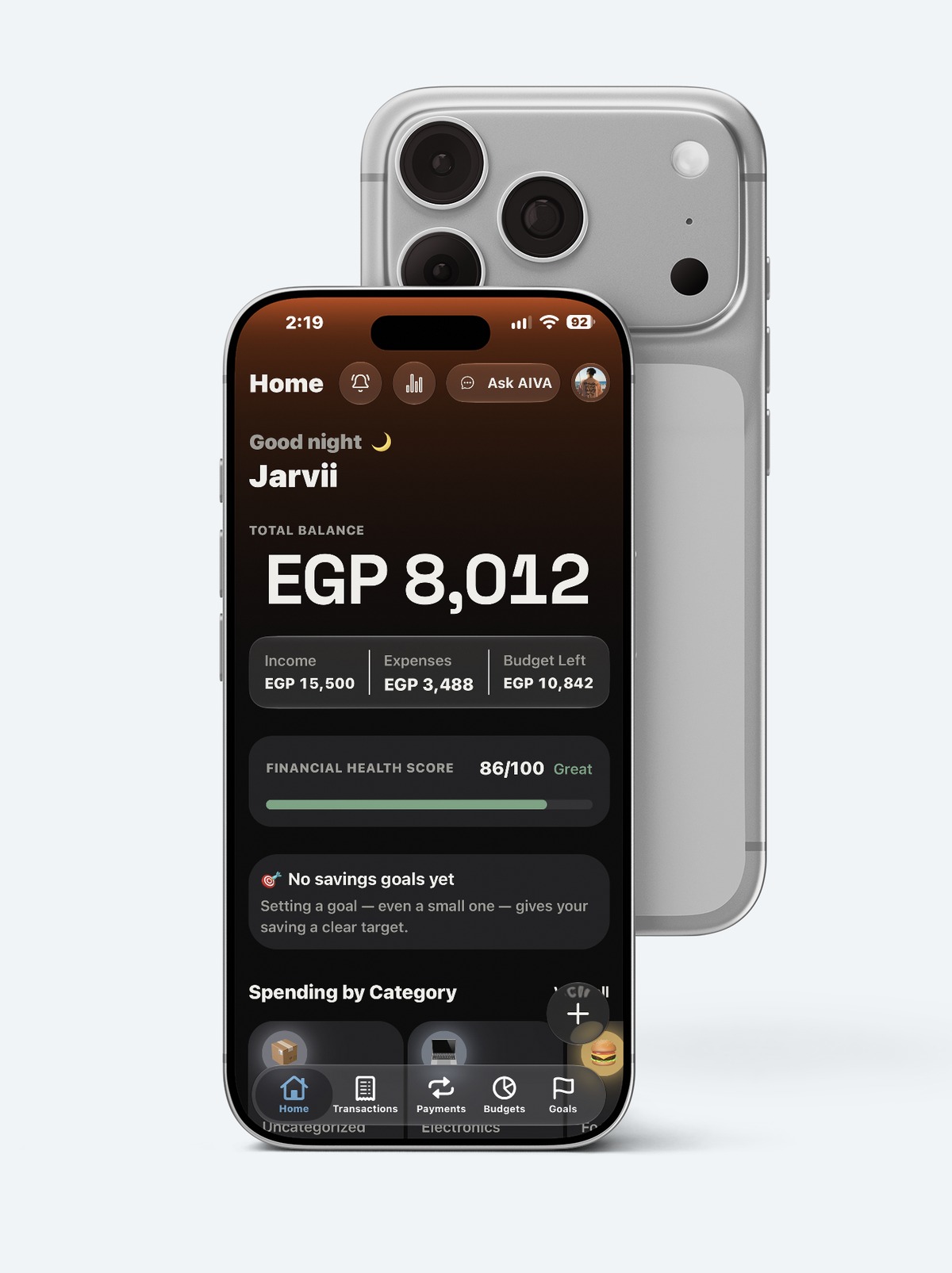
AIVA dashboard showing total balance, financial health score, and spending by category, on an iPhone in front of its own matching camera housing

Voice Input

Just say it. Skip the typing.

Tell AIVA what you spent like you're texting a friend - in English or Arabic. It sorts out the rest.
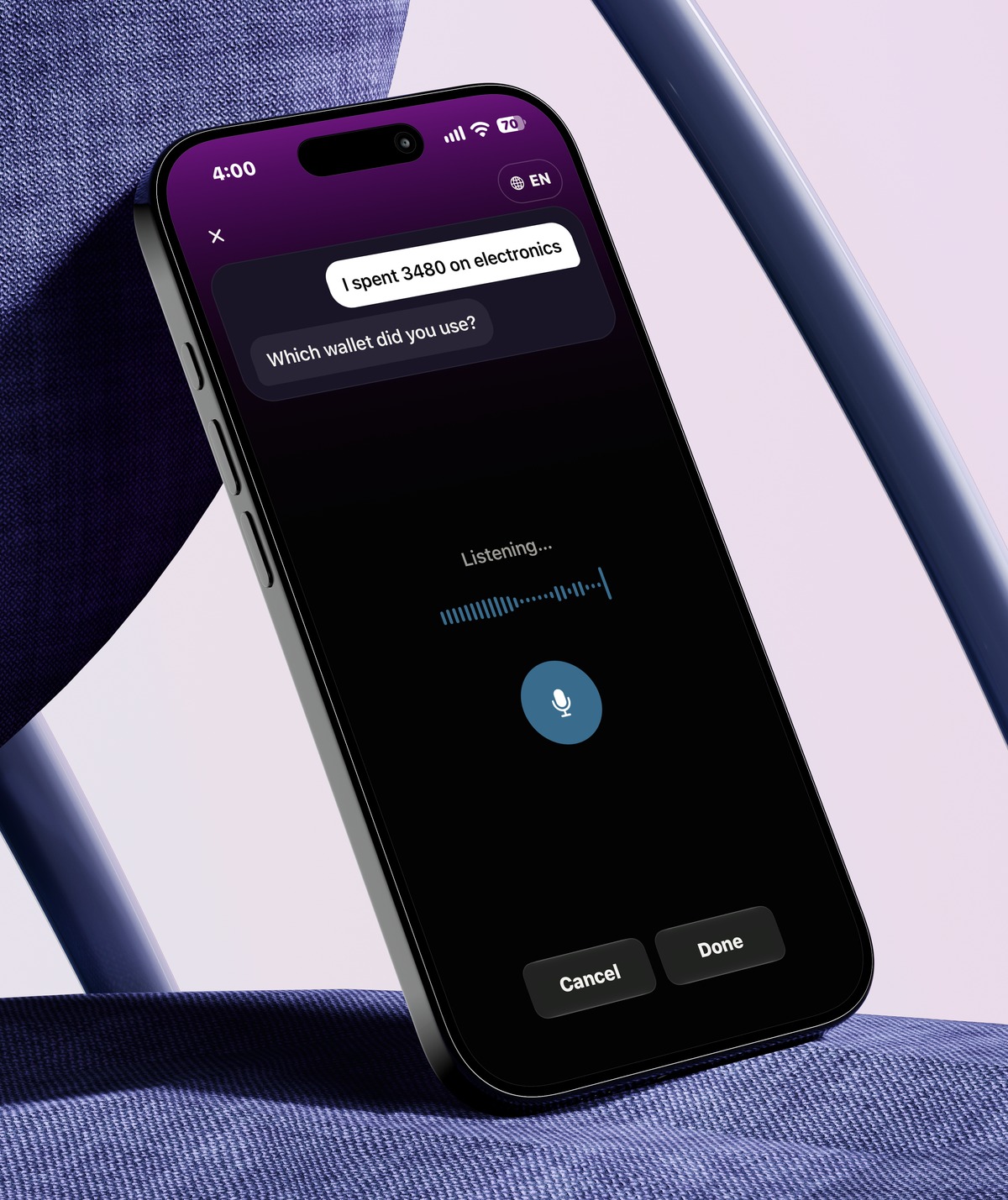
  • Talks like a human: "I spent 250 on groceries" is all it needs
  • Missing a detail? It just asks - no awkward blank fields
  • Switches between English and Arabic whenever you do
AIVA voice input screen showing a spoken transaction and a follow-up question about which wallet was used, on an iPhone leaning against a chair

Siri

Just ask Siri. It's logged.

Hands full? Say "Log an expense in AIVA" and Siri asks for the amount, the category and the wallet - then AIVA takes it from there.
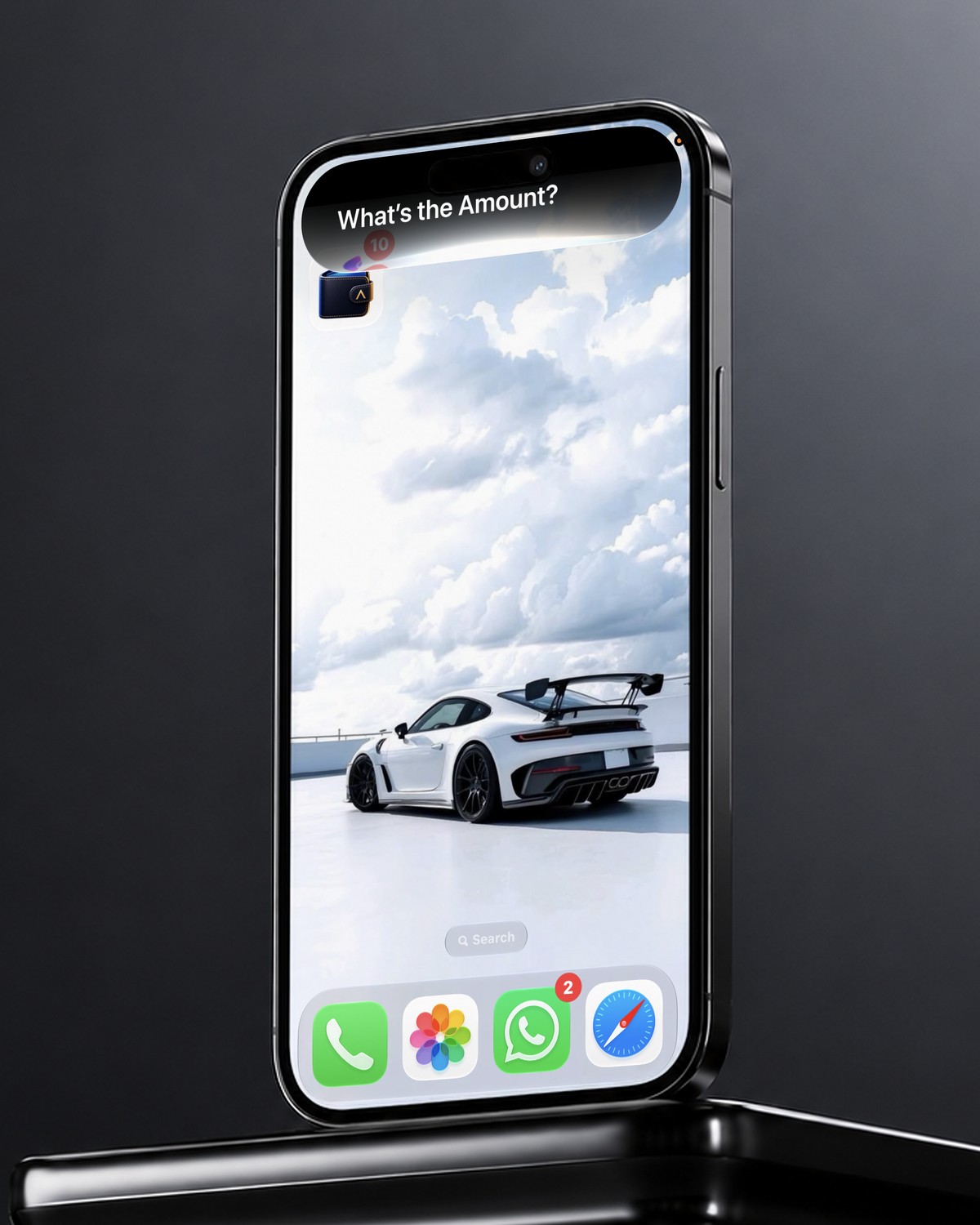
  • Say "Log an expense in AIVA" or "Log income in AIVA" - that's all it needs
  • Siri asks one thing at a time: the amount, the category, the wallet
  • Logged without opening the app, and it's in AIVA the next time you do
  • Works with a double tap on the back of your iPhone too
Siri asking 'What's the amount?' on an iPhone, to log an expense in AIVA

Payments

Every subscription and bill, accounted for

Recurring costs in one place - what they are, what they cost, and when they're due.
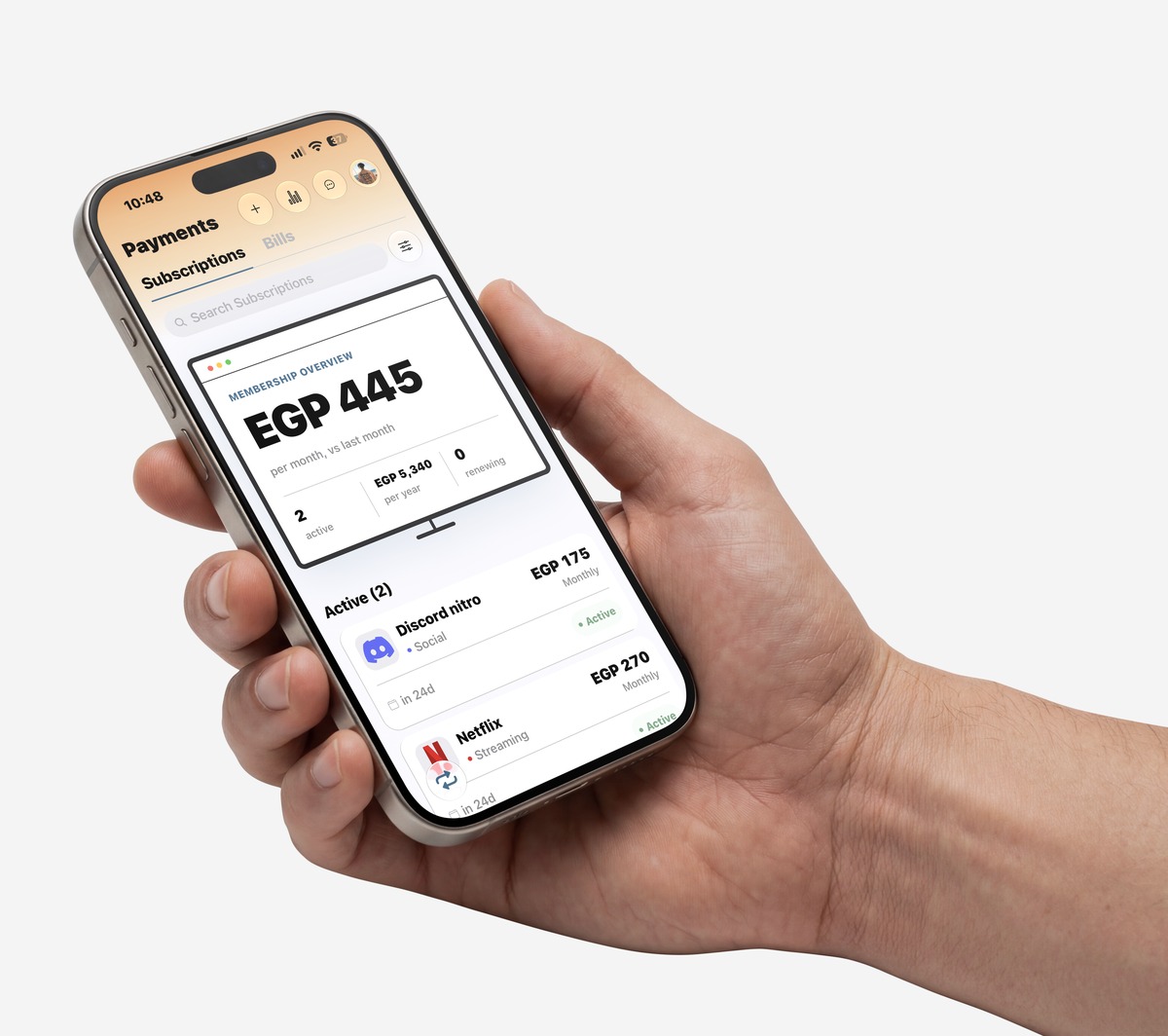
  • Total monthly and annual membership cost, tracked automatically
  • A reminder before each renewal, not a surprise charge after
  • Bills and subscriptions together, not split across statements
AIVA subscriptions screen showing monthly membership overview and active subscriptions, held in a hand

Goals

A savings plan built around your real income

Tell AIVA what you earn and what you're saving for - it works out the rest.

  • Exact monthly contribution for every goal, recalculated automatically
  • A flag the moment a goal falls behind, not after it's too late
  • A projected completion date based on actual progress
AIVA goals screen showing recommended monthly allocation and goal progress, on an iPhone set into a folded paper sculpture

Transactions

Every transaction, organized the moment it's logged

Search, filter, and categorize - nothing sits in an unsorted list.
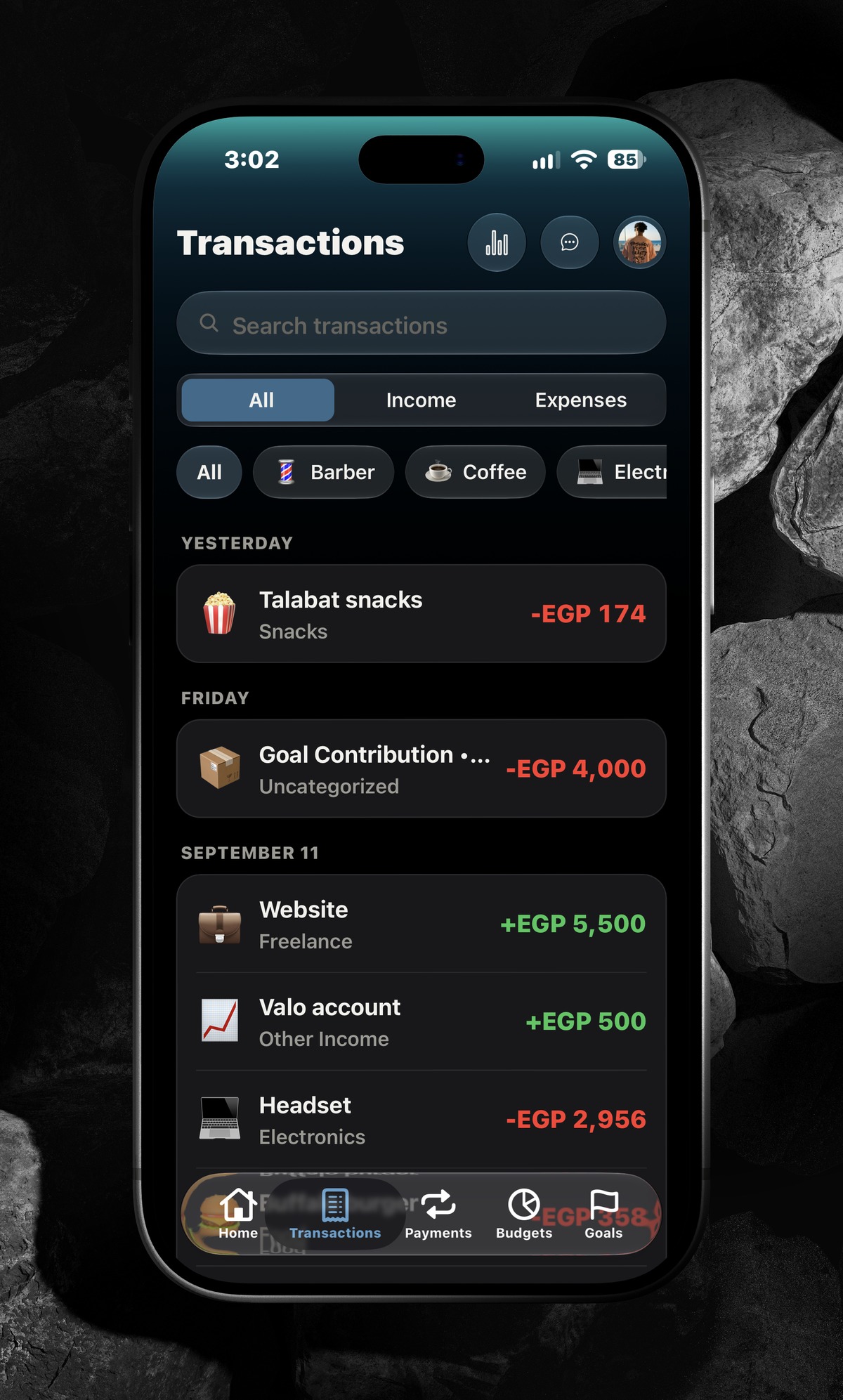
  • Instant search by name, category, or amount
  • Filter to income, expenses, or a single category
  • Grouped by day, so recent activity is never buried
AIVA transactions screen showing a searchable, filterable list of income and expenses grouped by day, on an iPhone lying flat on dark stones

FAQ

Questions, answered.

Anything we missed? Write to privacy@aivamoney.com.

What is AIVA?

AIVA is a personal finance tracker for iPhone. You log what you earn and spend, and it shows you budgets, savings goals with a monthly plan, subscriptions and bills, and a financial health score - in English and Arabic.

Does AIVA connect to my bank account?

No. There is no bank login, and AIVA never holds or moves your money. Everything comes from what you log yourself - by typing, by voice, by scanning a receipt, or from a bank text message you choose to send it.

What are the ways to add a transaction?

Type it in, say it out loud (for example "I spent 250 on food and 120 on coffee"), scan a receipt, or ask Siri. You can also set up Automatic tracking, which reads a bank text message through an iOS Shortcuts automation you create yourself. Voice entries are shown for you to review before they are saved.

Are my voice recordings and receipt photos uploaded?

No. Speech is recognised with Apple's on-device speech recognition, and receipts are read on your phone, so the audio and the photo stay on your device.

Does AIVA send my data to an AI service?

No. The financial health score, the insights and the AI Coach suggestions are calculated on your device from your own numbers. AIVA uses no third-party AI service, no ads, and no analytics or tracking tools.

Is AIVA free?

Yes. AIVA is free to download, with no ads and no in-app purchases.

Where is my data stored, and who can see it?

Your data lives in your private AIVA account, protected by your sign-in (email, Sign in with Apple or Google). We don't sell it or share it for advertising. The full details are in the Privacy Policy.

Which languages and currencies does it support?

English and Arabic, with several currencies you can choose from your Profile.

Is there an Android version?

iPhone comes first. Android is planned, but there is no date yet.

When can I download it?

AIVA is on the App Store now. Open the App Store page, or search for “AIVA: Friendly Money Tracker”.

How do I delete my account?

Open Profile, scroll to Danger Zone and tap Delete Account. Your account and its data are permanently deleted.

How do I get in touch?

Email privacy@aivamoney.com or send a message to @aivamoney on Instagram.